
Captions
Download available YouTube captions as readable TXT transcripts, SRT subtitles with timing, or structured JSON. TXT timestamps are optional.
Download available YouTube captions as readable transcripts or SRT subtitles, export comments and nested replies, or get both together from a video or Short. Choose the format that fits your task: TXT, SRT, CSV, JSON, or a ZIP data bundle.
Captions, comments, and replies — right from YouTube.
Install from Chrome Web StoreFree. No account required.
Download available YouTube captions as readable TXT transcripts, SRT subtitles with timing, or structured JSON. TXT timestamps are optional.

Export YouTube comments and nested replies as TXT, spreadsheet-ready CSV, or structured JSON.

Exports are processed locally in your browser — no account, API key, premium tier, or external processing service.
Go to the YouTube page you want to export from.
Select the export type and adjust the available options, such as the comment limit, replies, or timestamps for TXT captions.
Download the selected format, or use Copy to place a readable TXT representation on your clipboard.
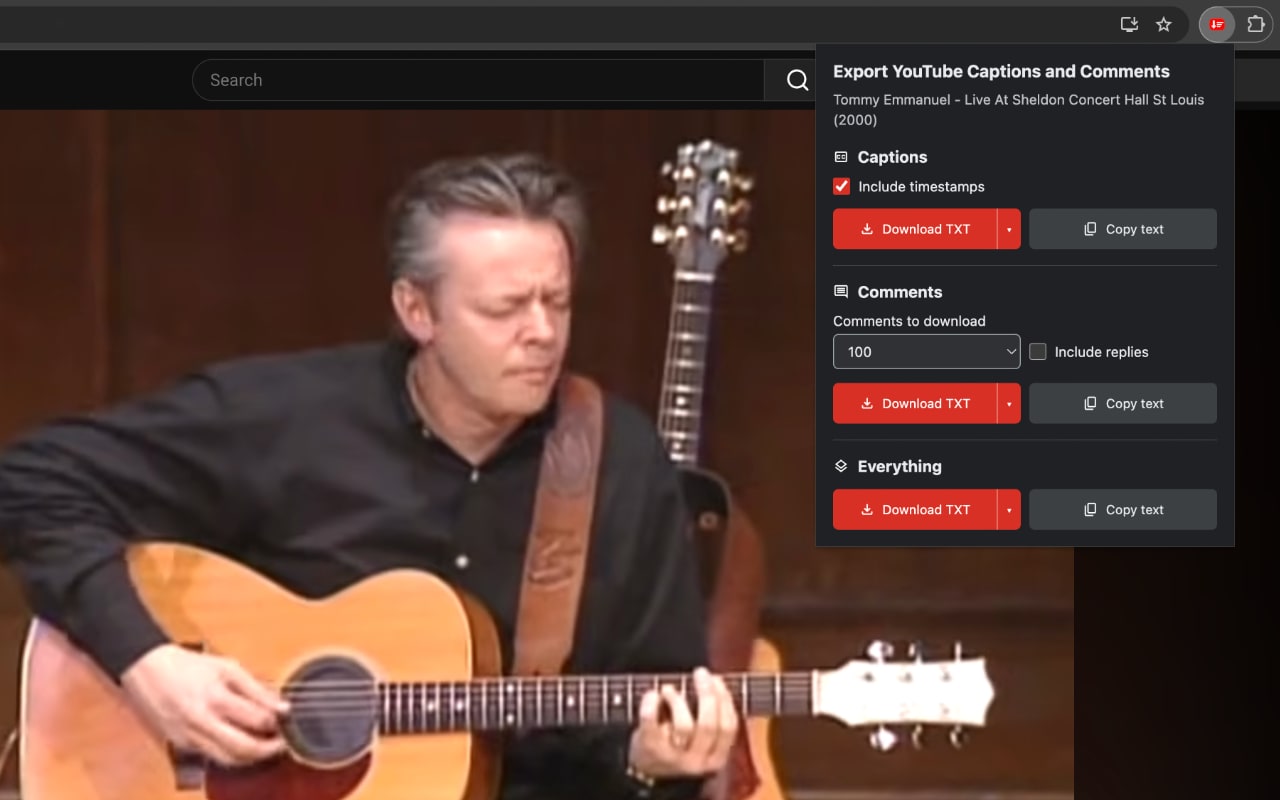
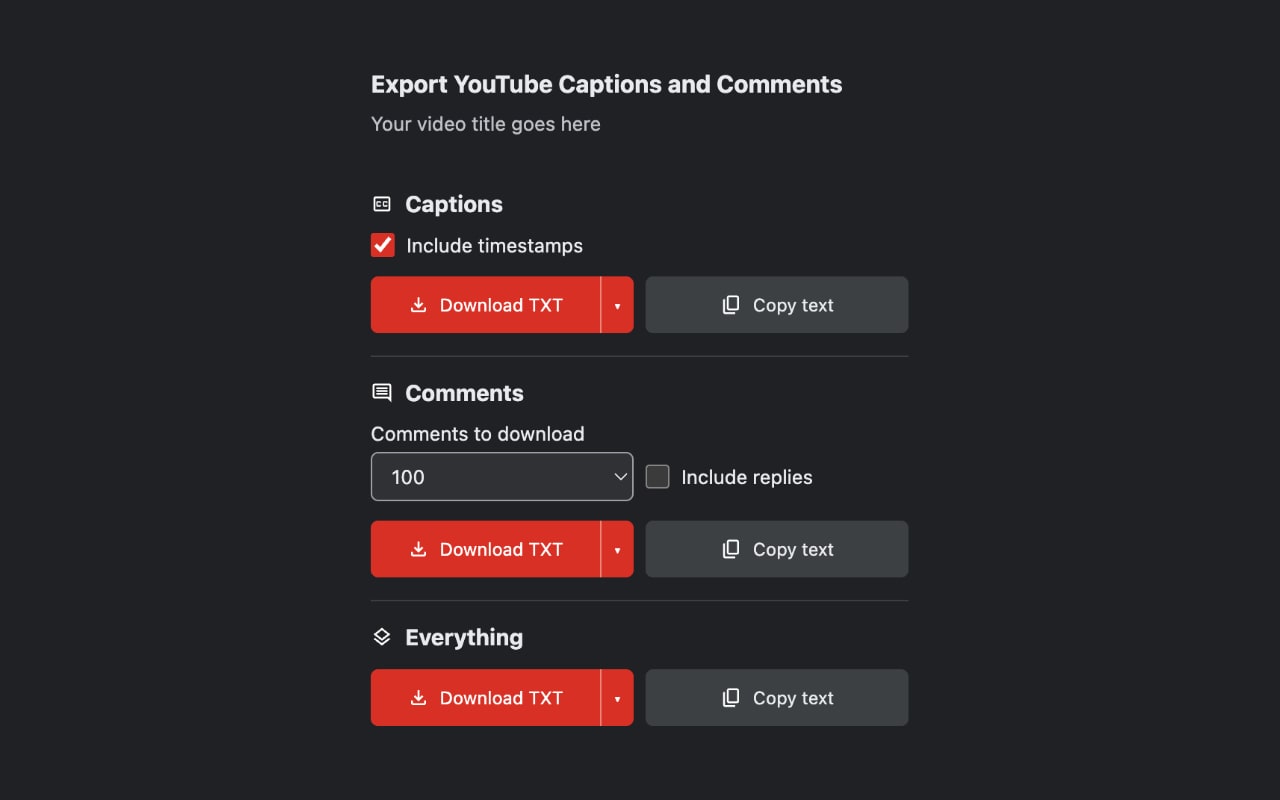
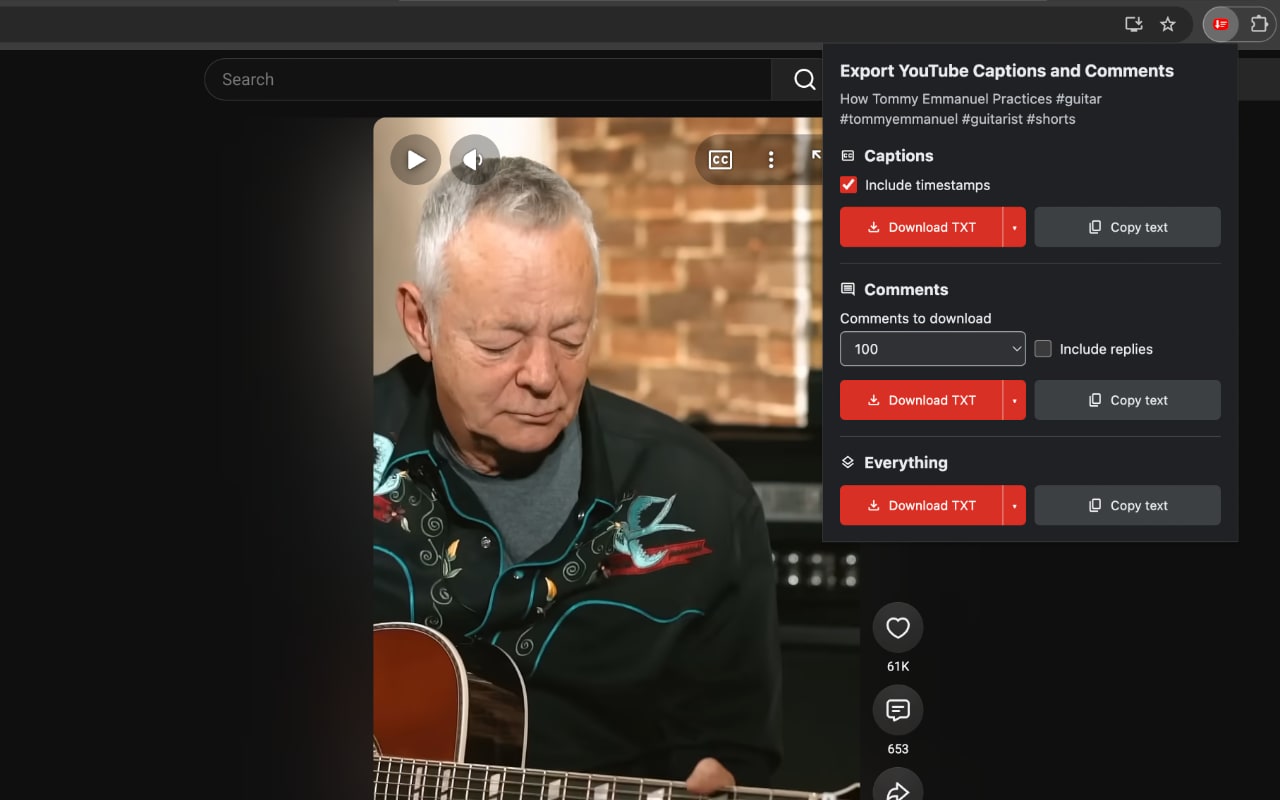
Captions are available as TXT, SRT, or JSON. Comments are available as TXT, CSV, or JSON. Everything can be exported as TXT, JSON, or a ZIP data bundle.
The ZIP data bundle contains an SRT file with available captions and a CSV file with comments. SRT always includes timing, and the CSV is UTF-8 encoded for spreadsheet apps.
Yes. Copy always places a readable TXT representation of the captions, comments, or both on your clipboard, regardless of the selected download format.
Yes. You can export available captions, comments, and replies from regular YouTube videos and YouTube Shorts.
The extension can export only caption tracks that YouTube makes available for the open video or Short. Some videos have no available captions.
Yes. Choose Comments or Everything, select a comment limit, and turn on Include replies to export available nested replies with their hierarchy preserved.
No. Export processing happens locally in your browser. The extension reads only the YouTube video or Short you opened and does not send exports or usage data to the developer or third parties.
Install once, then download available captions and export comments whenever you need them.
Install from Chrome Web StoreFree. No account required.